
BROADBAND AND TV SIGNALS
DIAGNOSING INTERFERENCE IN THE DIGITAL HOME
CAN YOUR INTERNET RUIN YOUR TV VIEWING?
As our homes become more connected, the chances of different technologies bumping into one another increase. While broadband and TV usually coexist perfectly, certain setups can cause frustrating pixelation or signal loss. Understanding how these signals interact is the first step to a crystal clear picture.
SECTOR 1: THE BASICS OF SIGNALS
Your television and your broadband router both rely on electromagnetic waves to carry data. Standard digital TV in the UK is broadcast on the UHF frequency band. Broadband, on the other hand, typically uses different frequencies depending on whether it is delivered via copper phone lines, coaxial cables, or wirelessly via 4G and 5G.
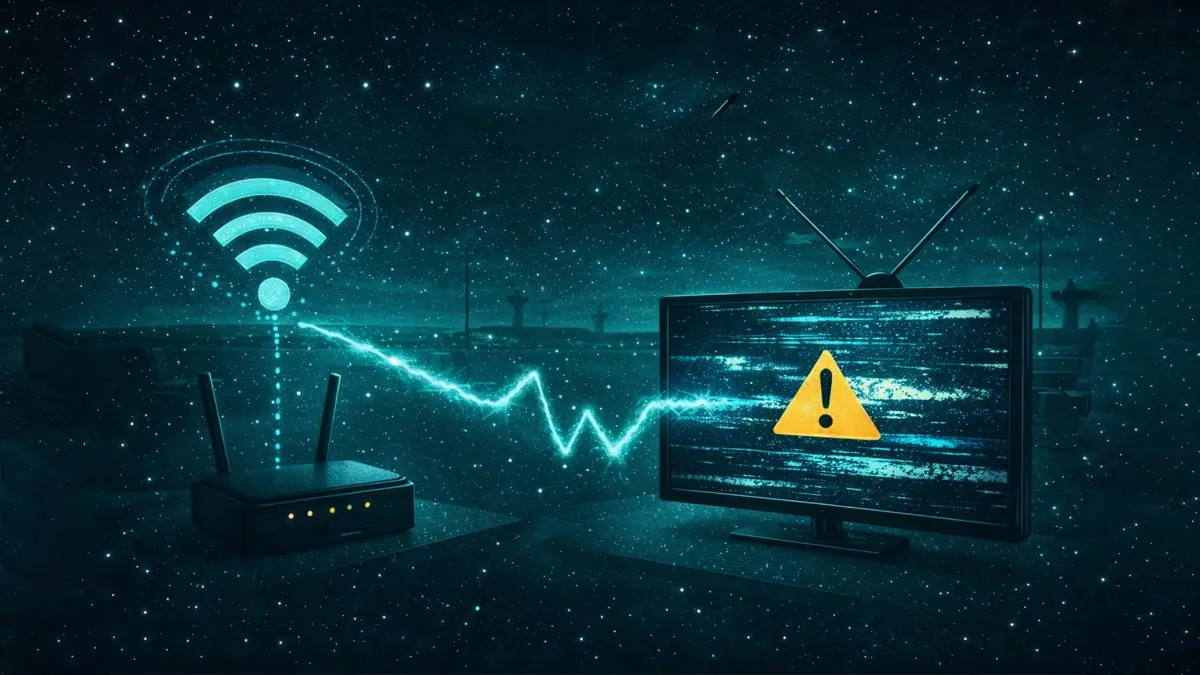
In a perfect world, these frequencies operate in their own lanes without crossing over. However, if a cable is poorly shielded or a broadband signal is exceptionally strong and physically close to a TV aerial, "leakage" can occur. This is where the broadband signal bleeds into the TV signal, causing the digital receiver to struggle to decode the picture.
For most households, the risk is low, but as we move towards higher frequency 5G broadband, the lanes between mobile internet and television broadcasts are getting closer than ever.
SECTOR 2: COMMON TYPES OF INTERFERENCE
Interference rarely happens because the internet is "on." Instead, it is usually a result of hardware limitations or physical proximity. Here are the three most common ways broadband can affect your TV signal:
- Radiated Interference: This happens when a router or mobile hub is placed too close to a TV or a set top box. The wireless signal literally overpowers the sensitive tuner inside the TV.
- Crosstalk: This occurs within the wiring of your home. If a broadband cable and a TV aerial cable are run tightly together for long distances without proper shielding, the signals can jump between wires.
- Filtering Issues: Many modern broadband connections share the same physical entry point into the home as a telephone line. Without a high quality microfilter, the broadband noise can be heard on phone calls or cause visible "noise" on older analogue TV systems.
In 2026, the shift to digital only broadcasts means that instead of "snowy" pictures, you are more likely to see blocky artifacts or a "No Signal" message when interference strikes.
SIGNAL IMPACT READOUT
Different internet technologies have varying levels of impact on TV signals. Select a technology below to see its typical interference profile.
| TECHNOLOGY | BANDWIDTH | INTERFERENCE RISK | PRIMARY CAUSE |
|---|---|---|---|
| ADSL/VDSL | 80 MBPS | LOW | POOR FILTERING |
| 4G/5G HUB | 500 MBPS+ | HIGH | FREQUENCY OVERLAP |
| CABLE (DOCSIS) | 1 GBPS | MEDIUM | CABLE LEAKAGE |
| FTTP (FIBRE) | 2 GBPS+ | ZERO | NON-ELECTRICAL |
SECTOR 6: ROUTER PLACEMENT AND SHIELDING
The simplest solution to interference is distance. If you are using a wireless mobile broadband hub, try to keep it at least two metres away from your TV and aerial connection point. Even high end routers emit a small amount of "noise" that can overwhelm a TV tuner if they are sat right next to each other.
Another often overlooked factor is the quality of your cables. Cheap, thin coaxial cables act like aerials themselves, picking up stray signals from your Wi-Fi. Upgrading to double shielded "RG6" cables for your TV aerial can often eliminate broadband interference entirely. This ensures that the only signal reaching your TV is the one coming from the aerial on your roof.
SECTOR 8: THE IMMUNITY OF FULL FIBRE
If you want to completely eliminate the possibility of your internet connection affecting your TV signal, Full Fibre (FTTP) is the answer. Unlike traditional broadband which uses copper wires to carry electrical signals, Full Fibre uses pulses of light through glass strands.
Light is immune to electromagnetic interference. You could wrap a fibre optic cable around a TV aerial and it would cause zero disruption to either signal. This makes FTTP the most "TV friendly" broadband technology available today. As the UK continues its rollout, more homes are finding that their connectivity issues vanish once they make the switch to a light based connection.
TROUBLESHOOTING CHECKLIST
STEP 1: THE DISTANCE TEST
Move your router at least 2 metres away from your TV and aerial socket. Check if the pixelation stops immediately.
STEP 2: CHECK THE MICROFILTER
If you have standard copper broadband, ensure every phone socket in use has a high quality microfilter installed.
STEP 3: CABLE INSPECTION
Look for thin, flimsy aerial cables. Replace them with high quality, double shielded coaxial cables to block out Wi-Fi noise.
STEP 4: 4G/5G FILTERS
If you live near a mobile mast, you may need a 4G or 5G filter. These small devices plug into your aerial lead to block mobile frequencies.
FREQUENTLY ASKED QUESTIONS
CAN WI-FI INTERFERE WITH MY TV AERIAL?
Yes, though it is usually due to "EMI" (Electromagnetic Interference) rather than frequency overlap. If your router is very close to your TV or if you use unshielded cables, the high frequency Wi-Fi signal can induce noise in the TV circuitry, causing the picture to break up.
WILL 5G HOME BROADBAND AFFECT MY FREEVIEW?
It can. 5G signals use frequencies that are very close to those used by digital TV. In some cases, the 5G signal is so strong it "swamps" the TV tuner. A simple 5G filter, which costs a few pounds, usually solves this by blocking the mobile signals while letting the TV signals through.
DO POWERLINE ADAPTERS CAUSE TV INTERFERENCE?
Powerline adapters (PLT) turn your home's electrical wiring into a data network. If your home's wiring is old or lacks proper grounding, these adapters can emit radio frequency interference that may affect both TV and radio reception. Testing the system with the adapters unplugged is the quickest way to confirm this.
SUMMARY: A CLEAR PATH TO CONNECTIVITY
Don't let broadband bugs ruin your box sets! Most interference issues come down to simple physics: distance and shielding. By keeping your tech spaced out and using quality cables, you can enjoy the best of both worlds without a single glitch. Happy viewing!