
Virgin Media Broadband Review (Updated March 2026)
Speed Demon or Customer Service Nightmare?
Virgin Media is still one of the biggest speed merchants in the UK. Because it runs its own network rather than relying on Openreach, it has pushed gigabit speeds for years and is now expanding full fibre too. The catch is that the reputation for patchy support and yearly price rises has not gone away. So, in March 2026, is the raw speed still worth the hassle? Let’s get into it.
Pros and Cons
What It Nails
-
Raw Download Speed Gig1 is still Virgin Media’s fastest widely available tier, at roughly 1.13Gbps average down, and Virgin Media O2 says its total gigabit footprint reached 18.8 million premises by the end of 2025.
-
Volt Benefits If you have an eligible O2 Pay Monthly SIM, Volt boosts your broadband to the next available tier, up to 1Gbps, doubles your mobile data and includes WiFi Max at no extra cost.
-
Strong Bundle Value Current broadband only deals also throw in Netflix Standard with Ads on M500 and Gig1, which genuinely makes the upper tiers look better value than before.
-
Independent Network Because Virgin does not rely on Openreach copper, it can still be the only genuinely fast option in places where rivals top out at slower FTTC or patchy FTTP.
The Drawbacks
-
Customer Support Support is still the weak spot, and that concern has not gone away. Ofcom fined Virgin Media £23.8 million in December 2025 over failures affecting vulnerable landline customers during migration.
-
Upload Speeds Most customers are still on asymmetric DOCSIS services, so upload remains far slower than download. M500 averages about 52Mbps up, and Gig1 is still nowhere near symmetrical full fibre rivals.
-
Annual Price Rises The yearly April rise still matters. Older contracts, taken before 9 January 2025, follow RPI plus 3.9%. Newer contracts use a fixed pound increase set out in the contract summary instead.
-
Older Hubs Are Still Around Hub 3 and Hub 4 units are still in the wild. Power users often end up using modem mode, their own router, or pushing for a Hub 5 upgrade.
The Infrastructure
Cable vs Fibre
Virgin Media is still unusual in the UK broadband market. Most major providers are selling access over Openreach lines, but Virgin runs its own cable and fibre network. Historically that meant hybrid fibre coax, or HFC, with DOCSIS delivering very fast downloads even in areas where Openreach-based rivals lagged behind.
That is changing, though. Virgin Media O2 says its full fibre footprint reached 8.3 million premises by the end of 2025, with the wider gigabit footprint at 18.8 million premises. In plain English, more of Virgin’s network is now moving onto XGS-PON full fibre, especially in newer nexfibre areas, while plenty of existing customers still sit on DOCSIS 3.1 with lower uploads.

Hardware: The Hub Family
Hub 3, 4, 5 and 5x
Depending on your package and network type, Virgin will send you one of its Hub routers. Hub 3 is the old guard, Hub 4 is the stronger DOCSIS option, Hub 5 brings WiFi 6, and Hub 5x is the XGS-PON full fibre model. Virgin’s own current spec page lists Hub 5x as the full fibre unit, with WiFi 6 and a 10Gbps Ethernet port.
The good news is that Hub 5 is no longer quite so exclusive. Virgin has started offering no cost Hub 5 upgrades to selected existing customers on older hubs through 2026, which is worth mentioning because it improves the value story for long term customers. Modem mode still matters too. If you are fussy about home networking, you may still prefer to let the Hub do the minimum and hand the heavy lifting to your own kit.
My Real World Nightmare (and Dream Speeds)
The Speed: Flawless
I am currently on the Virgin Media M500 package. This is still marketed as an ultrafast tier for larger households, with an average download speed of 516Mbps and an average upload speed of 52Mbps.
In practice, it has been absolutely rock solid. Since I have been with them, speed has never really been the issue.
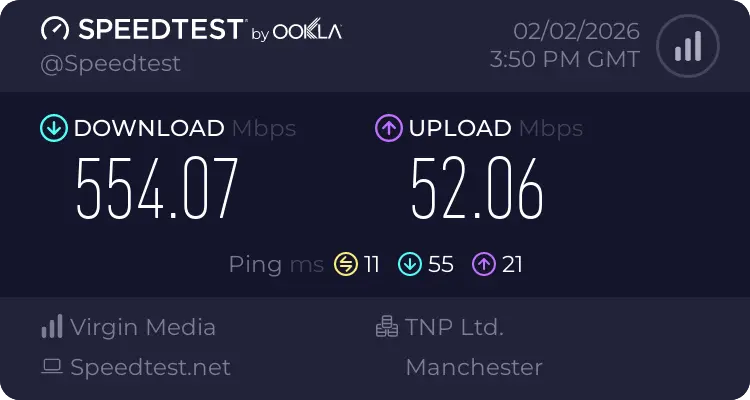
My personal speed test below backs that up. I am pulling 554.07 Mbps download and 52.06 Mbps upload. Latency is good for a cable line too, with an idle ping of 11ms and jitter of just 1ms. For gaming, large downloads and 4K streaming, the actual performance is properly strong.
The Support: A Total Disaster
However, the technical performance is let down badly by the customer service. My plan included a Netflix subscription, but the original activation link simply did not work.
This kicked off a saga where I had to message live chat five separate times. Each time, I was connected to an adviser who apologised and promised the issue would be fixed and a new link sent within one working day.
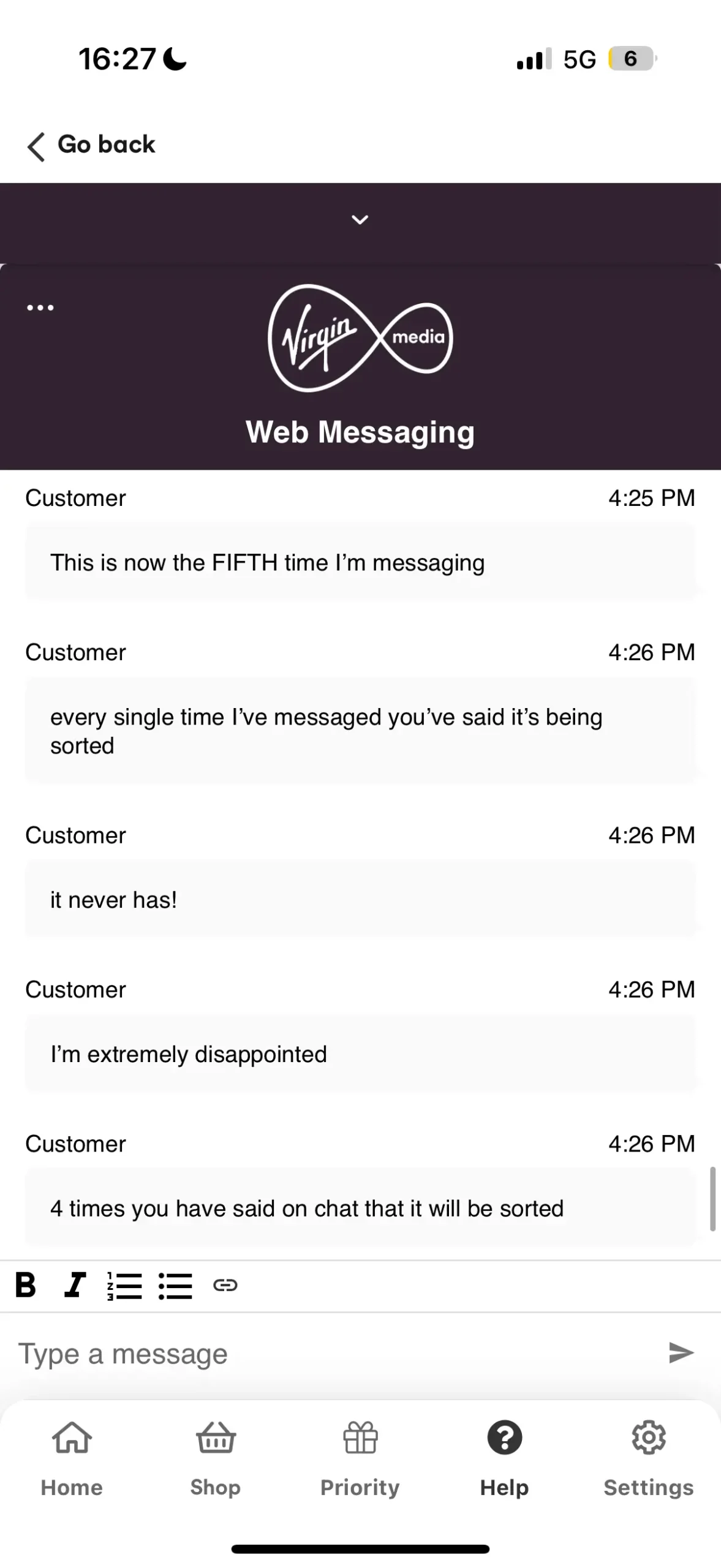
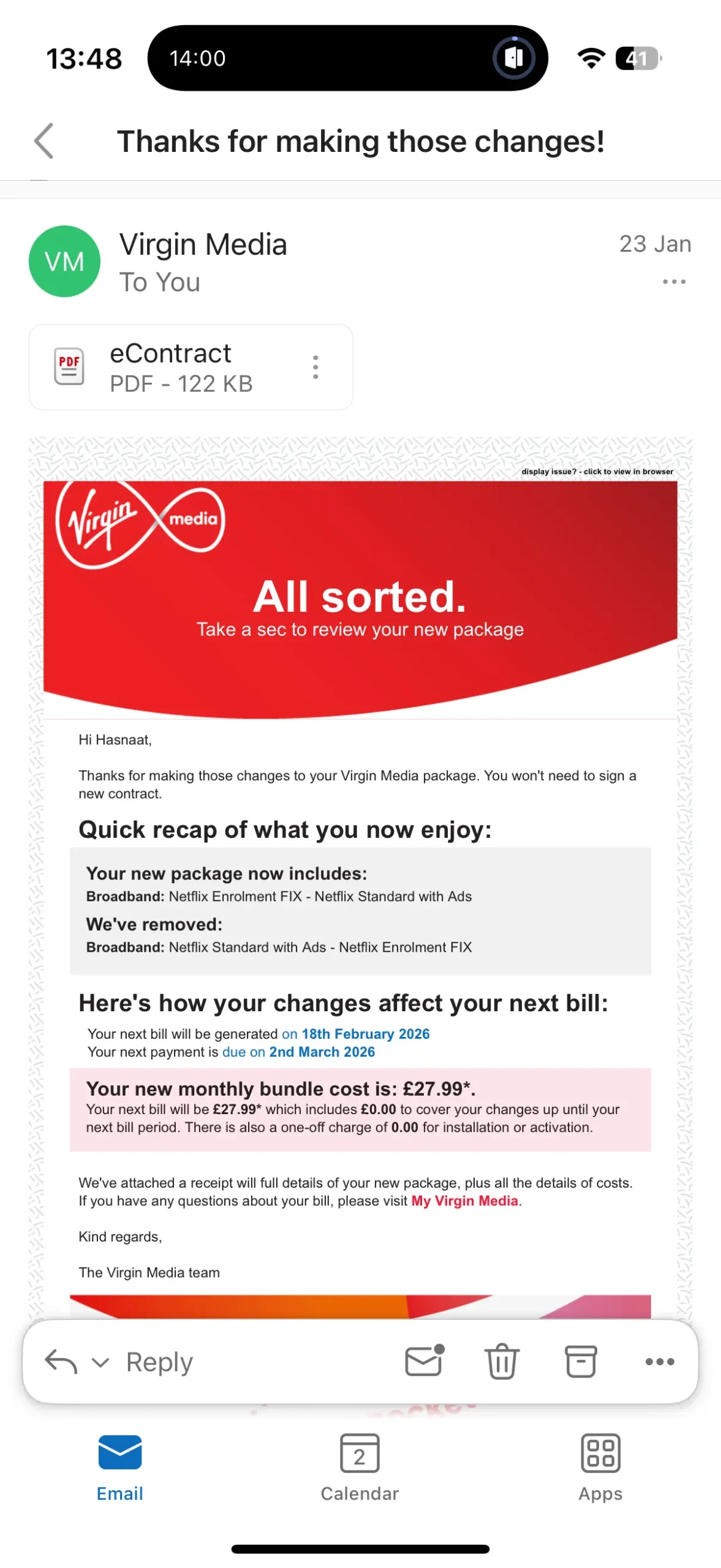
One adviser even promised a £5 credit off my bill as compensation. Yet despite all those promises, I never received the new link after any of those five conversations. It was incredibly frustrating. They were quick enough to reply in chat, but painfully slow to actually sort anything.
Then, completely out of nowhere, around two weeks after my last message, the activation link finally arrived by email. It works now, but having to chase them five times for something included in the package is poor by any standard.
The Packages
Virgin still splits things neatly by speed tier. Here is how the current line-up looks.
M125 to Gig1, plus Gig2 in selected areas
M125 & M250: The lower tiers. M125 averages 132Mbps and suits lighter households, while M250 averages 264Mbps and is usually the sensible step up for busier homes.
M350 & M500: The sweet spot for heavier use. M350 averages 362Mbps, while M500 averages 516Mbps and is ideal for big households, downloads, multiple 4K streams and gaming at the same time.
Gig1: The fastest widely available package. Virgin lists it at roughly 1130 to 1136Mbps average depending on the page you are reading, so it is fair to call it about 1.13Gbps in practice.
Gig2: Still the headline act in selected XGS-PON full fibre areas. It is not the normal nationwide option yet, but if it is available at your address, it gives Virgin something much closer to a proper next generation offer.
Upload Speed Limits
Upload remains the big compromise on the regular cable side. While Gig1 gives you excellent downloads, full fibre rivals like Hyperoptic or Community Fibre can still look much better if you need fast uploads for cloud backups, large file transfers, livestreaming or remote work.
Virgin has launched symmetrical speed options on selected full fibre services, but that is not the experience most customers are getting yet.
Performance & Speed
By The Numbers
As verified in our own testing, the core speed claims do hold up. Virgin says its advertised averages are measured at peak time, and in day to day use cable can still feel more resilient than older copper based services, provided your local area is not congested.
Top Alternatives
If the support horror stories put you off, these are the rivals I would look at first.
The Full List of Extras
Virgin rarely sells plain broadband if it can help it. Bundles and add-ons are still a big part of the pitch.
-
Flex / Stream TV: Virgin still pushes TV hard. Flex keeps things more flexible, while bigger TV bundles throw in Netflix Standard with Ads as part of the package.
-
Volt (O2): Still the standout extra. Combine Virgin broadband with an eligible O2 SIM and you can get a speed boost, double mobile data and WiFi Max included.
-
WiFi Max: This guarantees at least 30Mbps download speeds in every room or a £100 bill credit. It is included with Gig1, Gig2 and Volt, or can be added on eligible plans for £8 a month after activation.
-
Web Safe: Network level filtering is still handy if you want a simple way to block malware or limit certain categories of websites for kids.
-
Priority from O2: Virgin also now leans on Priority as an extra perk, giving broadband customers access to O2 rewards and offers.
The Trade-Offs
Before you commit to a 24 month deal, read the small print. The speed is tempting, but the terms still matter.
Annual April rises: Virgin has moved away from the old inflation linked model for newer contracts, but the price rise itself has not disappeared. If you signed before 9 January 2025, older RPI plus 3.9% rules can still apply. Newer contracts use a fixed pound increase set out in the contract summary.
Leaving early can still sting: If you cancel before your minimum term ends, early disconnection fees can apply. The one useful bit of progress is that if you are switching to another provider, Virgin says you usually do not need to give separate notice yourself.
Support is the gamble: The broadband itself is often excellent. The gamble is what happens when something goes wrong, or when a bundle perk does not activate properly. That is still the main reason this is not a higher scoring review.
Ownership & Structure
Virgin Media O2
Since June 2021, Virgin Media has sat inside the 50:50 Virgin Media O2 joint venture between Liberty Global and Telefónica. That is why the O2 tie-in is now central to so many broadband deals, especially anything involving Volt.
FAQs
Do I need a phone line for Virgin Media?
No. Unlike Openreach providers such as Sky, BT and TalkTalk, Virgin Media uses its own network. Most modern packages are broadband only by default.
What are the benefits of Volt?
If you have an eligible O2 Pay Monthly SIM and Virgin Media broadband, Volt can boost your broadband speed to the next available tier, up to 1Gbps, include WiFi Max and double your mobile data unless you already have unlimited data.
Is the installation difficult?
If your home has had Virgin before, you can usually self install with a QuickStart kit. If not, an engineer may need to drill through an exterior wall to bring the cable into your home.
How long is the contract?
Most current broadband deals are sold on 24 month terms, although Virgin also offers some shorter fixed terms and rolling options in certain cases.
How We Rated Virgin Media
To keep things fair, we use a standardised weighting system across all our ISP Reviews. Here is how the 7.2/10 score for Virgin Media was calculated:
This approach lets us judge the best fit for each customer without bias. Commission, CPA and margins are not used in the scoring model.

HASNAAT MAHMOOD
Broadband & Technology Expert
"Virgin Media is still a bit of a paradox. The network can be excellent and the top end speeds are absolutely real, but the service side is where trust falls apart. If you are fairly self-sufficient and just want a fast line, it can still be a very good choice. If you know you will need hand-holding, billing help or support intervention, think twice."